Using Starlink through the roof of the Tune M1
Update: After 2 years of using Starlink Mini through the roof of the Tune M1, including for full-video Teams work calls, I can confirm that it works perfectly through the roof!.
If you're new to Starlink, you can get a $100 credit for free when you sign up!
Original test results
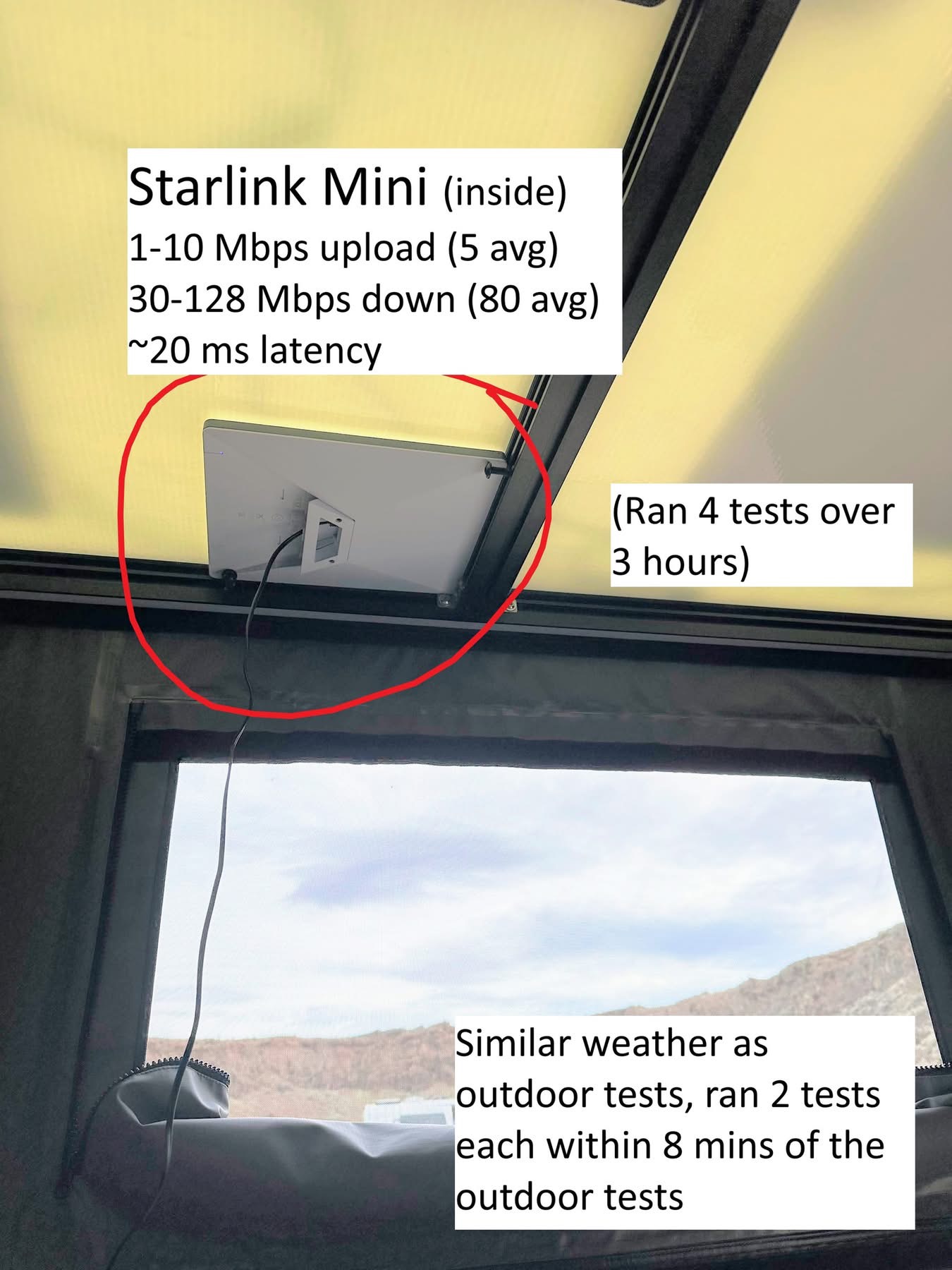
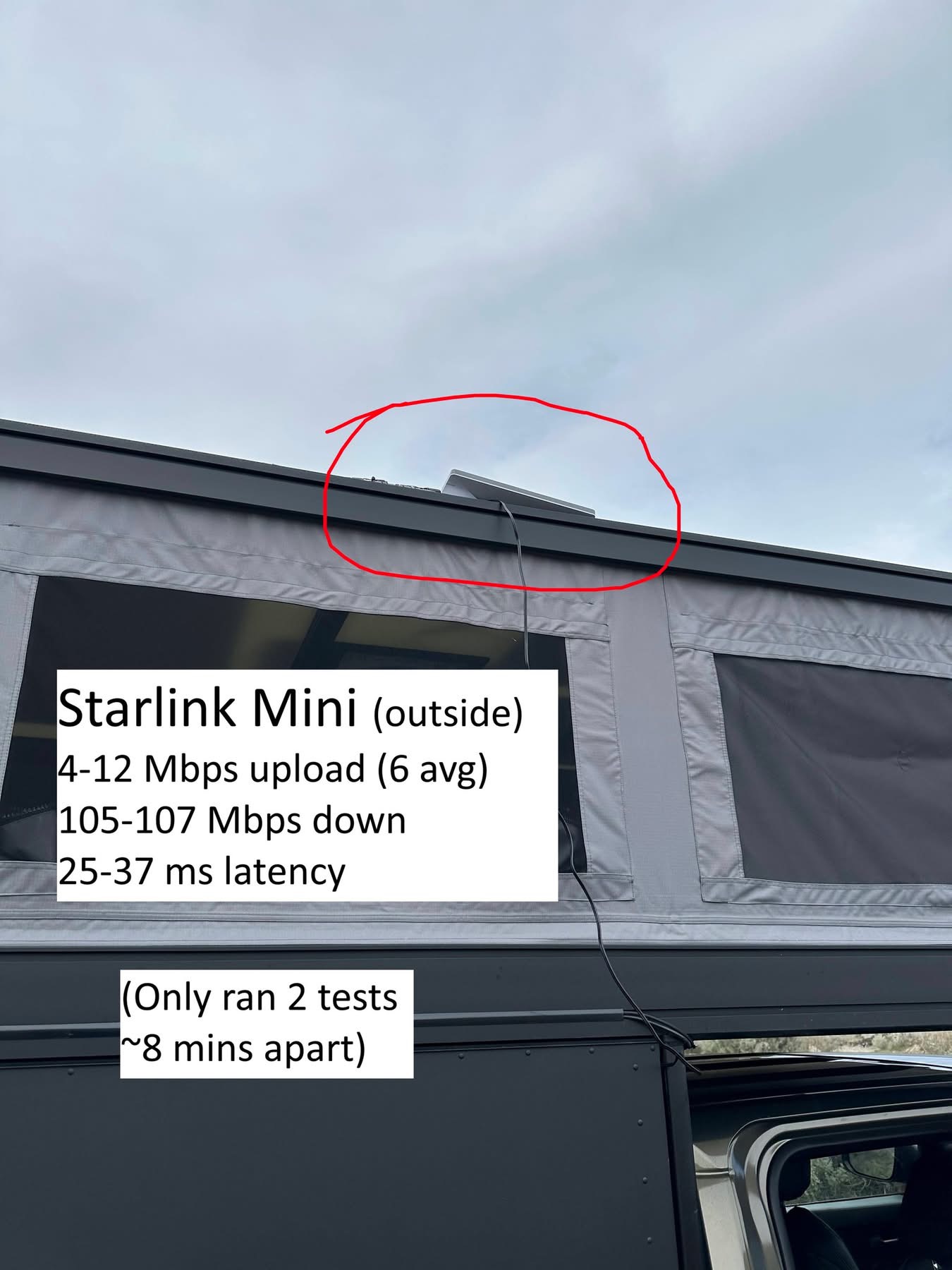
Starlink Mini test results through the roof panel vs outside: I think it's pretty equal! Key learning is that test results fluctuate a LOT, even 5 minutes apart you might get drastically different results.
I think using it inside through the roof panel at most only takes off 1 Mbps of upload. I've taken Teams calls for ~3 weeks with full video on!
Here's all my testing details, note that I list upload first since download always seems plenty fast, it's the upload that seems troublesome. Skies were mostly cloudy, but not raining.
Power draw from inside: 21w avg over last 15 mins, 99.8% ping success, 24 ms latency.
Round 1 comparison
- Inside: 10:49 AM, 1.0 Mbps up, 21 ms latency, 29.9 Mbps down
- Outside: 8 mins later (10:57 AM), 4.6 Mbps up, 37 ms latency, 107.6 Mbps down
Round 2 comparison
- Inside: 11:10 AM, 4.9 Mbps up, 20 ms latency, 95.7 Mbps down
- Outside: 5 mins earlier (11:05 AM), 11.6 Mbps up, 25 ms latency, 105.4 Mbps down
Round 3 comparison
- Inside: 11:19 AM, 7.7 Mbps up, 18 ms latency, 127.6 Mbps down
- Outside: Didn't test.
Round 4 comparison
- Inside: 2:18 PM, 10.0 Mbps up, 20 ms latency, 76.3 Mbps down
- Outside: Didn't test
For mounting it, I just temporarily used some longer t-nut bolts and put two in at opposing sides, and I'm able to place the mini up there when camping. I take it down while driving, this was just a super temporary setup to see how well it worked, but it's actually a pretty effective way of temporarily mounting it inside!